

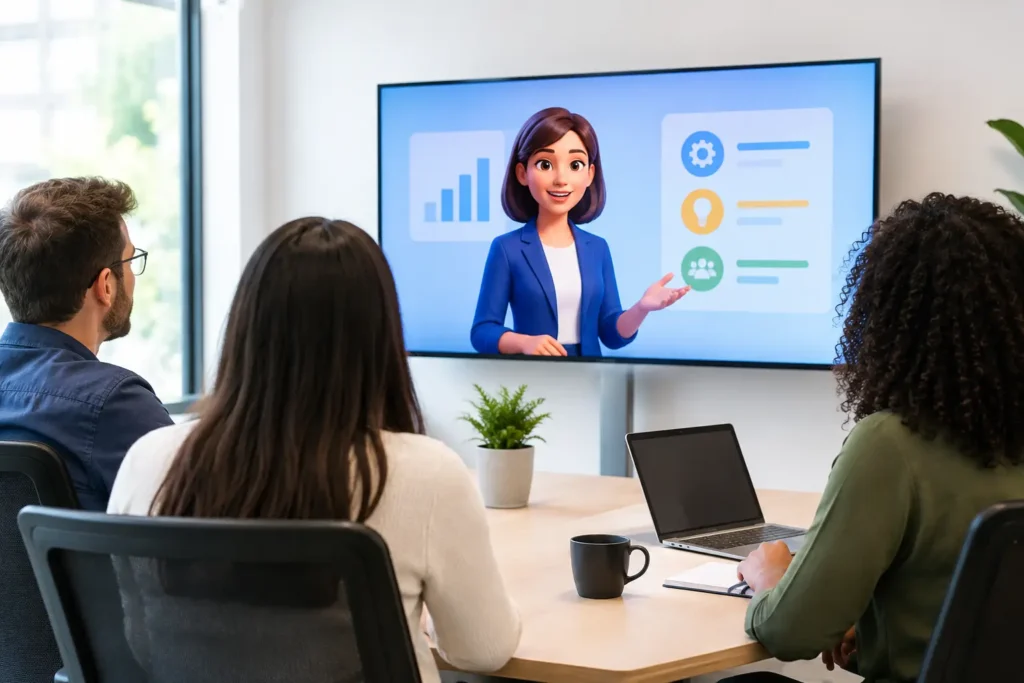
A compliance module can contain the right policy, the right examples, and the right assessment, then still fail because employees stop paying attention halfway through. The best animation styles for training do more than make a course look polished. They direct attention, make abstract ideas visible, and help people recall what to do when the lesson becomes a real workplace decision.
For business leaders and training teams, the question is not which style looks most impressive in isolation. It is which visual approach helps a specific audience understand, remember, and apply the material. A technical onboarding course, a safety procedure, and a leadership workshop each need a different kind of visual support.
What Makes Animation Effective for Training?
Training animation works when it reduces unnecessary mental effort. Learners should spend their energy understanding the process, decision, or behavior being taught, not decoding a cluttered screen or following decoration that adds no instructional value.
The strongest videos pair a focused script with visuals that clarify each point as it is introduced. That may mean showing a machine part from multiple angles, animating the path of customer data through a platform, or illustrating the consequences of a poor decision in a customer conversation. Animation gives teams control over what the learner sees and when they see it.
Style matters because it sets expectations. A playful character-driven video can make a culture lesson approachable, but it may undercut a serious cybersecurity or emergency-response module. High-detail 3D can make an equipment walkthrough credible, yet it may be more production than a straightforward software process requires. The right choice is tied to the learning objective, audience, distribution channel, and budget.
The Best Animation Styles for Training Programs
2D explainer animation for processes and policies
2D explainer animation is one of the most flexible formats for corporate learning. It uses illustrated scenes, icons, text, diagrams, and simple character actions to explain a sequence or concept with clarity. For training teams, it is especially effective for onboarding, HR policies, customer service standards, sales enablement, and internal process education.
Its main advantage is control. A complex workflow can be reduced to a few clear steps without filming locations, hiring talent, or waiting for product conditions to be perfect. If a policy changes, individual scenes can often be revised without rebuilding an entire live-action video.
This format works best when the course needs to answer questions such as: What happens first? Who owns this task? What should an employee do next? Keep the visuals purposeful. A screen full of moving icons may feel active, but it will not help learners if the sequence remains unclear.
Motion graphics for data, systems, and product knowledge
Motion graphics turn information into movement. Think animated charts, interface callouts, diagrams, labels, timelines, and visual metaphors. They are a strong choice when training centers on software, data, product features, finance, operations, or technical concepts that are difficult to film.
For example, a SaaS company can use motion graphics to show how a lead moves from form submission to CRM assignment and follow-up. A healthcare organization can visualize a patient intake path without relying on sensitive real-world footage. A manufacturer can map a quality-control process from inspection to documentation.
Motion graphics are highly brand-friendly. Color, typography, logo elements, and familiar interface patterns can reinforce a consistent experience across training modules. The trade-off is that motion graphics should not carry emotional or behavioral lessons alone. When learners need to recognize tone, body language, or interpersonal choices, a character-based scene or filmed example may be more effective.
Whiteboard animation for simple, linear instruction
Whiteboard animation has staying power because it makes explanations feel like a guided walkthrough. As visuals appear step by step, learners can follow the logic without being overwhelmed by a completed diagram all at once. It is useful for foundational topics, change-management communication, conceptual training, and lessons where the core challenge is making an unfamiliar idea feel understandable.
This style is often a practical fit for organizations that need clear training content at scale. It can simplify a benefits explanation, introduce a new company initiative, or explain why a revised process matters before employees are asked to follow it.
The limitation is visual range. Whiteboard animation is less suitable for premium product training, detailed spatial demonstrations, or brand experiences that require a modern, high-energy feel. It also needs a disciplined script. If every sentence introduces another drawing, the lesson can become visually busy rather than clear.
3D animation for equipment, environments, and high-stakes procedures
3D animation is the right choice when people need to understand physical form, movement, scale, or location. It can show the inside of a product, simulate a warehouse environment, demonstrate assembly, or recreate scenarios that would be expensive, unsafe, or impossible to film.
For technical training, this can make a meaningful difference. A learner can see how components fit together, what happens when a part fails, or where a safety risk develops. Camera movement and cutaway views reveal details that live-action footage can miss.
The investment is typically higher because 3D models, materials, lighting, animation, and rendering all require careful production. That does not make it excessive by default. If a visual misunderstanding could lead to downtime, errors, rework, or safety incidents, 3D may offer stronger value than a lower-cost format that leaves too much to interpretation.
Character animation for behavior and people skills
Some training is about what people say, how they respond, and what they notice. Character animation is well suited to leadership, inclusion, conflict resolution, customer support, sales conversations, and workplace conduct training. It creates a safe distance from real employees while still presenting recognizable situations.
A well-written character scenario can show both the wrong and right way to handle a moment. Instead of telling managers to give better feedback, the video can show a vague, unhelpful conversation followed by a more specific and constructive approach. Learners can observe the consequence, not just memorize a rule.
The key is credibility. Characters do not need to look photorealistic, but the dialogue, expressions, and workplace context should feel authentic to the audience. Generic office scenes and exaggerated reactions can make serious training feel detached from real work.
How to Choose the Right Style
Start with the behavior or knowledge the learner should demonstrate after watching. If they need to operate equipment, show the equipment. If they need to follow a digital process, use interface-led motion graphics. If they need to recognize a difficult conversation, build a scenario around people and choices.
Next, consider the audience’s context. Frontline employees may need short, direct modules they can complete between shifts. Sales teams may need product training that is easy to revisit before a call. New hires may need an engaging overview that introduces culture, systems, and expectations without overwhelming them on day one.
Also consider the life span of the content. A video about a stable safety principle can justify a more detailed production approach. A training module tied to software screens or a frequently updated policy should be designed for efficient revisions. Planning for updates early can prevent a small change from becoming a large production expense.
A useful production brief answers four questions: who the learners are, what they must do differently, what information is hardest to understand, and where the video will be used. Those answers make creative decisions faster and keep the project focused on performance rather than visual preference.
Combine Styles When the Lesson Requires It
Many of the most effective training videos do not rely on one style from beginning to end. A software onboarding video might use a short 2D character scene to establish the employee challenge, motion graphics to explain the process, and screen recordings for the exact steps. A manufacturing course might combine 3D equipment demonstrations with simple labeled diagrams and knowledge checks.
The combination should feel intentional. Switching styles every few seconds can distract learners, while a clear visual system creates momentum. Use each format where it does its best work, then maintain consistent narration, color, pacing, and message hierarchy across the module.
At AnimateWiz, the production conversation begins with the message and desired outcome, then selects visuals that make the training easier to absorb. That approach helps avoid a common mistake: choosing a style because it is popular rather than because it solves the learning problem.
Make the Training Video Work Beyond the First Viewing
Animation earns more value when it is planned as part of a broader learning experience. A two-minute module can introduce a topic before a workshop, reinforce a key procedure after live instruction, or give managers a consistent way to explain a change across locations. Short clips can also support refresher training when employees need a quick reminder rather than a full course.
Build around one core takeaway per video whenever possible. If a topic includes several decisions or procedures, split it into a series. Learners are more likely to finish, retain, and revisit short focused modules than one long video trying to cover every exception.
The best choice is the one that gives your people a clearer next step. When the visual style serves the lesson, training stops feeling like content employees have to complete and starts becoming guidance they can actually use.